
Enable / disable the use of the Calendar filter
The "Calendar" filter allows you to limit your searches to the dates of your event or display all events scheduled for the dates you enter.
📌 Note:
For this feature to be visible in the map options, the map must contain dated events.
📅 Enable the "Calendar" filter
- Access your map to edit it
In the "Map Content" menu:
- Enable "Event Priority" to optimize the display of events on your map
In the "Services and Search" > "Calendar" menu:
- Check the "Enabled" field
- Enter the minimum date and maximum date for the calendar filter
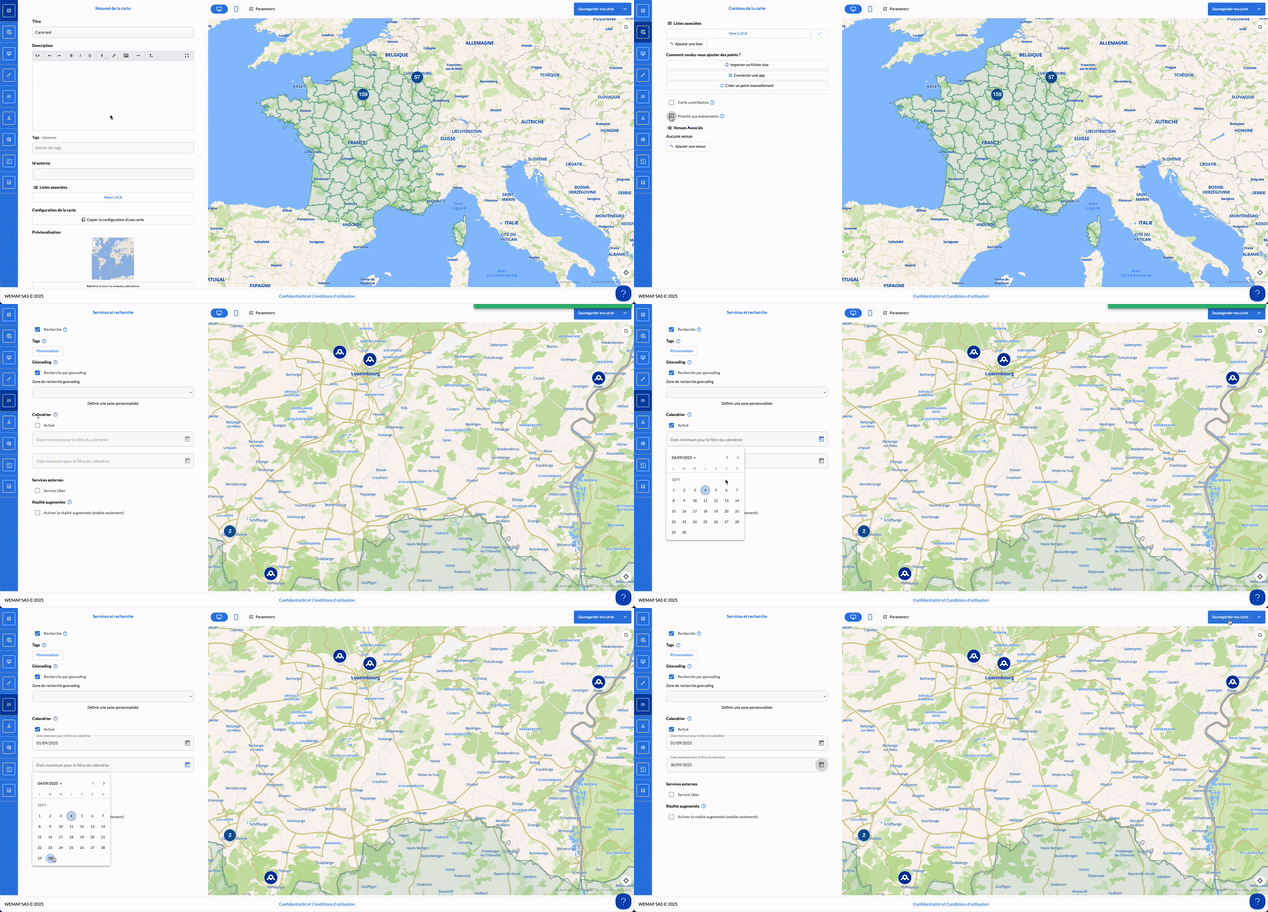
👉 Once on your livemap or after integrating the map into your site/app, you can use the date filter for your search
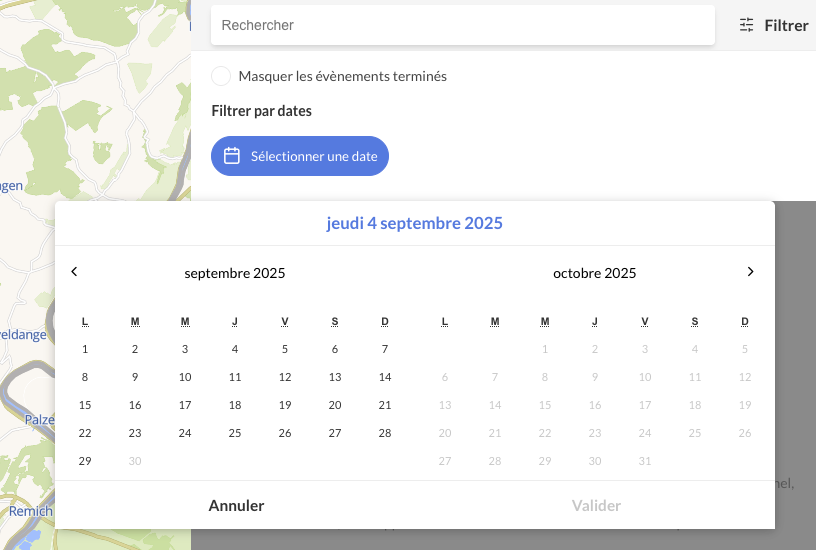
📌 Note:
You can also use the calendar filter in the introduction pop-in of your map.