
Create a map template
A Wemap map has many native options / default settings that you can keep or adapt to your needs.
To save time, you can create a template including all these parameters, which will serve as a basis for your future maps.
This way, no need to start from scratch: you simply use your already configured template and add the desired content (lists, points, events...).
🗺️ Create a map template
- Create a map: "Create" > "Map" > "Create a blank map"
- Configure your map
- Save your map as a template:
- Click on the chevron to the right of "Save my map", on the right side of the screen
- Select "Save as template"
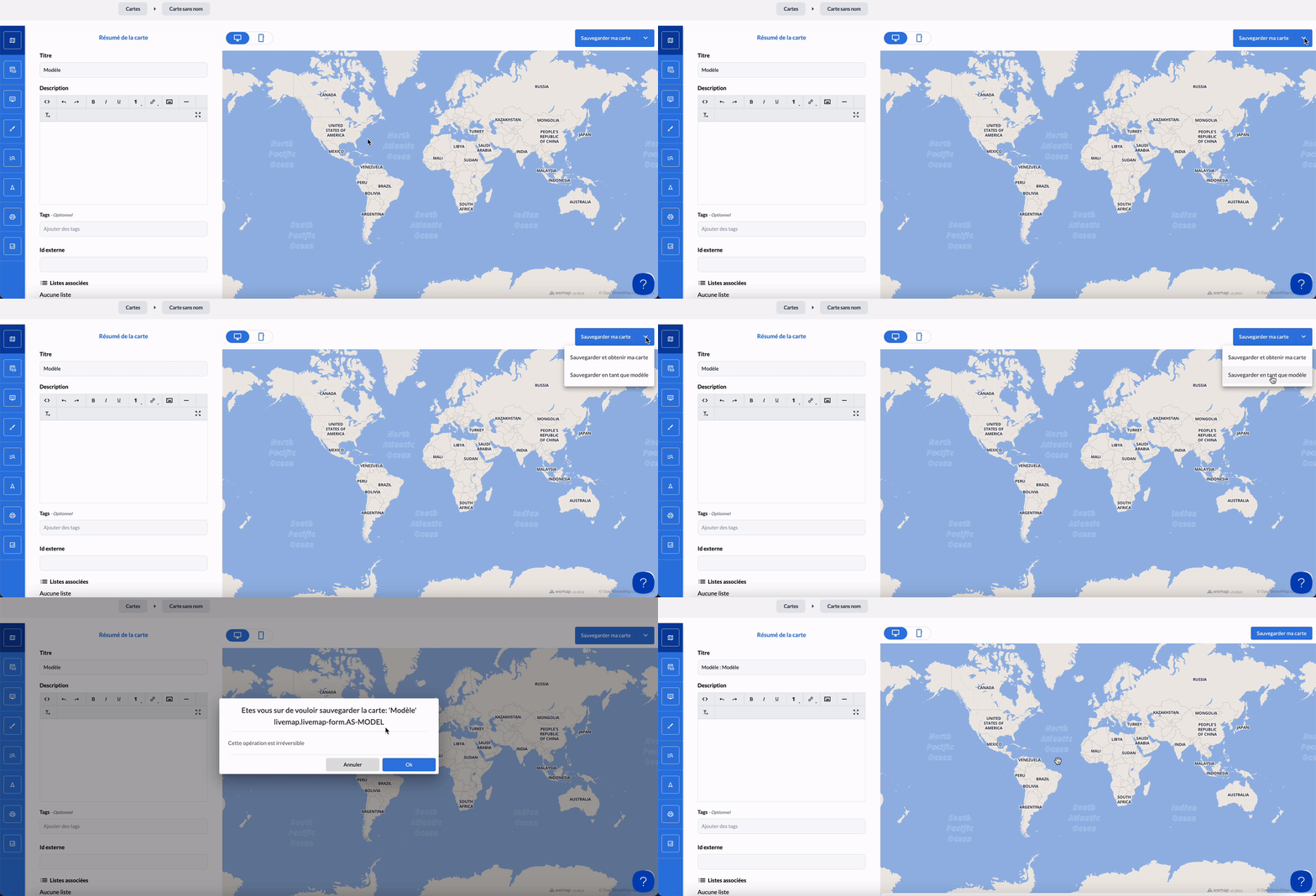
🌏 Use a map template
- Create a map from a template: "Create" > "Map" > Create from a template"
- Click on "Browse templates"
- Select the desired template
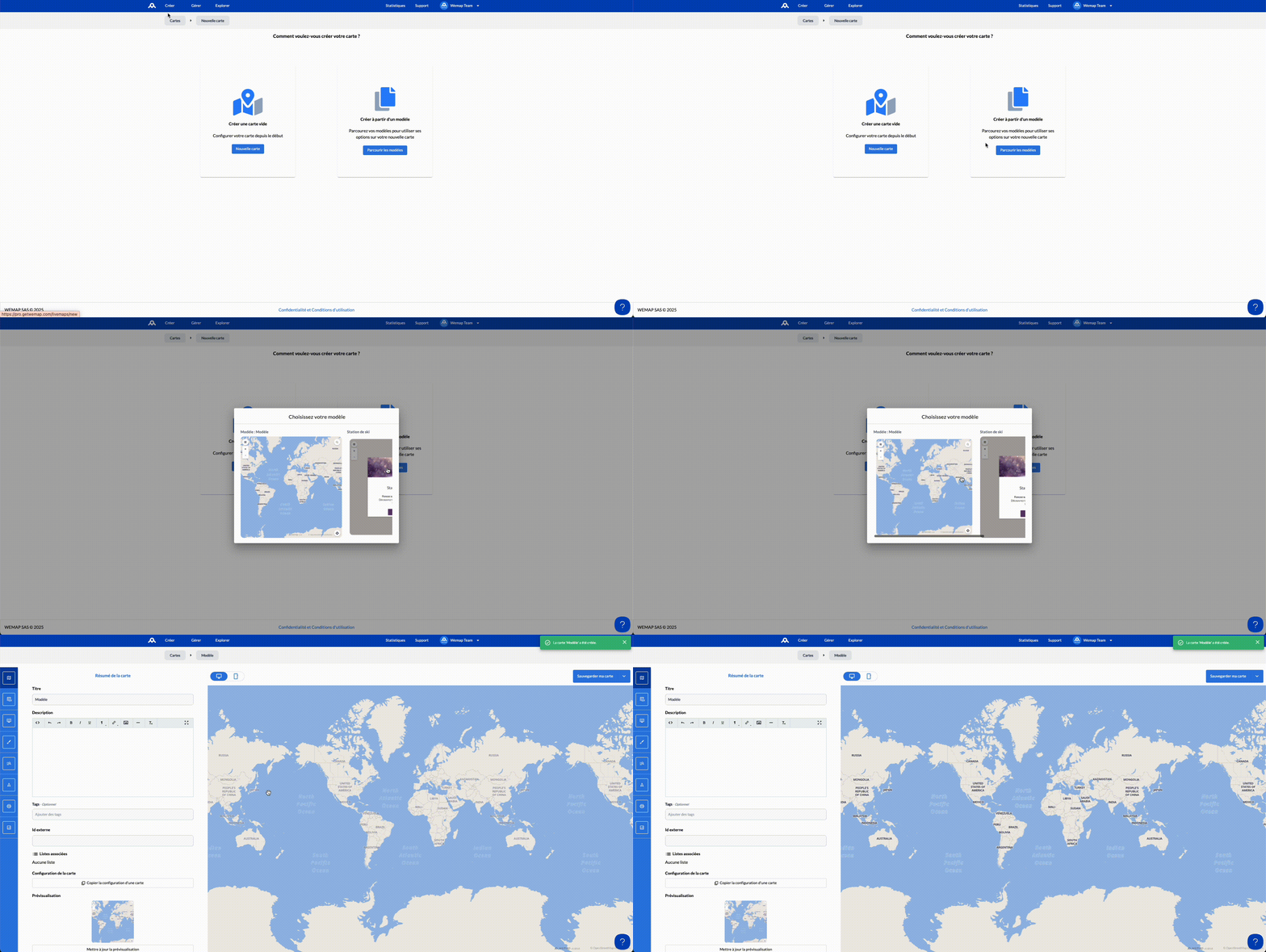
📌 Please note:
You can modify or add settings to your new map, even when using an already configured template.