
Define the geographic search area using our geocoding engine
Wemap interactive maps allow you to integrate an address search feature: you can define a geographic search area to prioritize displaying address results within the defined zone.
📍Configure geocoding search
- Access your map from Wemap Pro
- Go to "Services and searches"
- Enable the "Geocoding search" option
- Define the geographic area in the dropdown list: select the relevant country or define a custom area from the map.
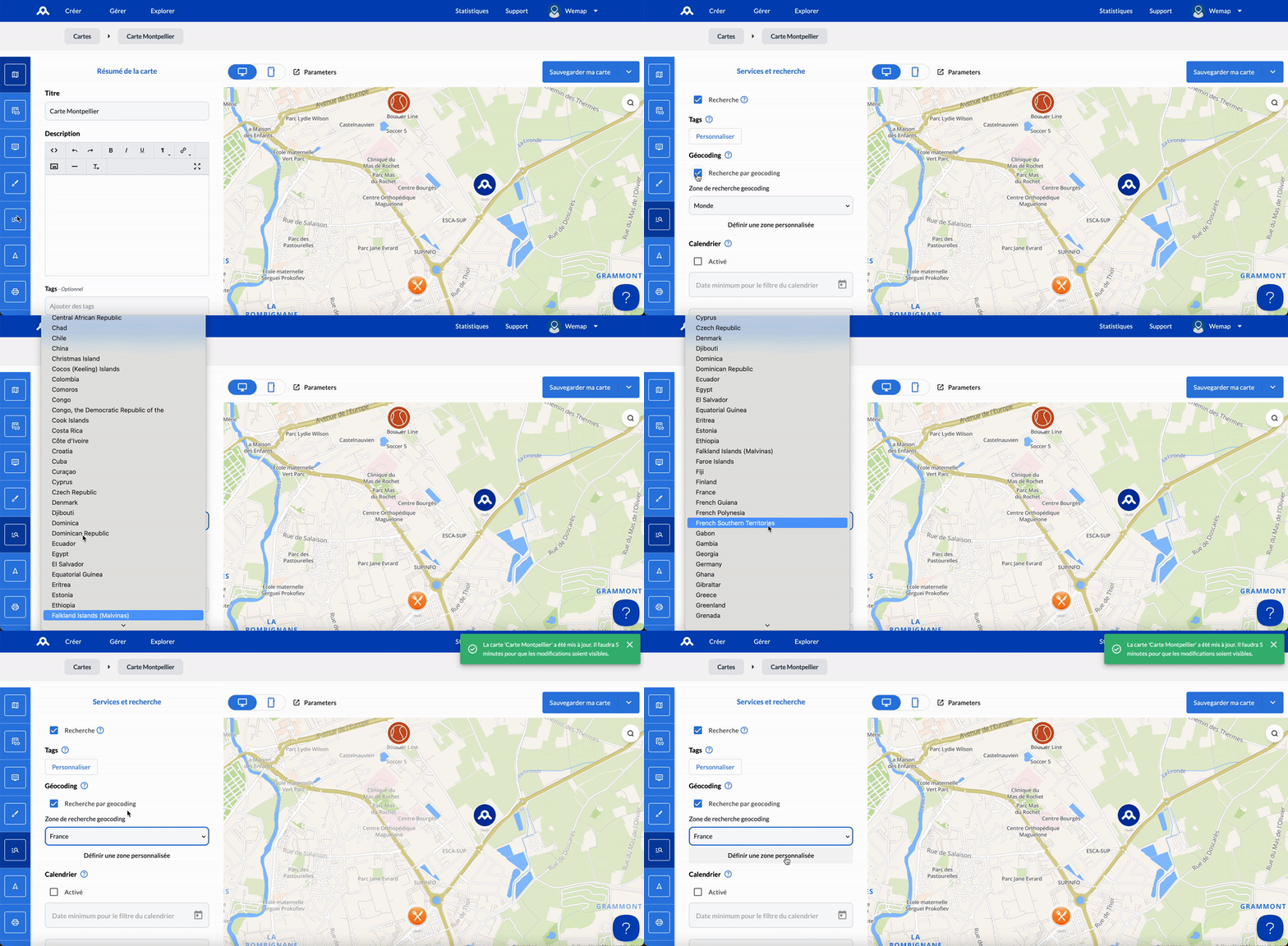
Examples:
- If your map has content only in a French region, you can limit the search to French addresses so that only results matching your search located in France will be suggested.

- If you set it to "World", then results from around the world may be suggested in correlation with your search.
