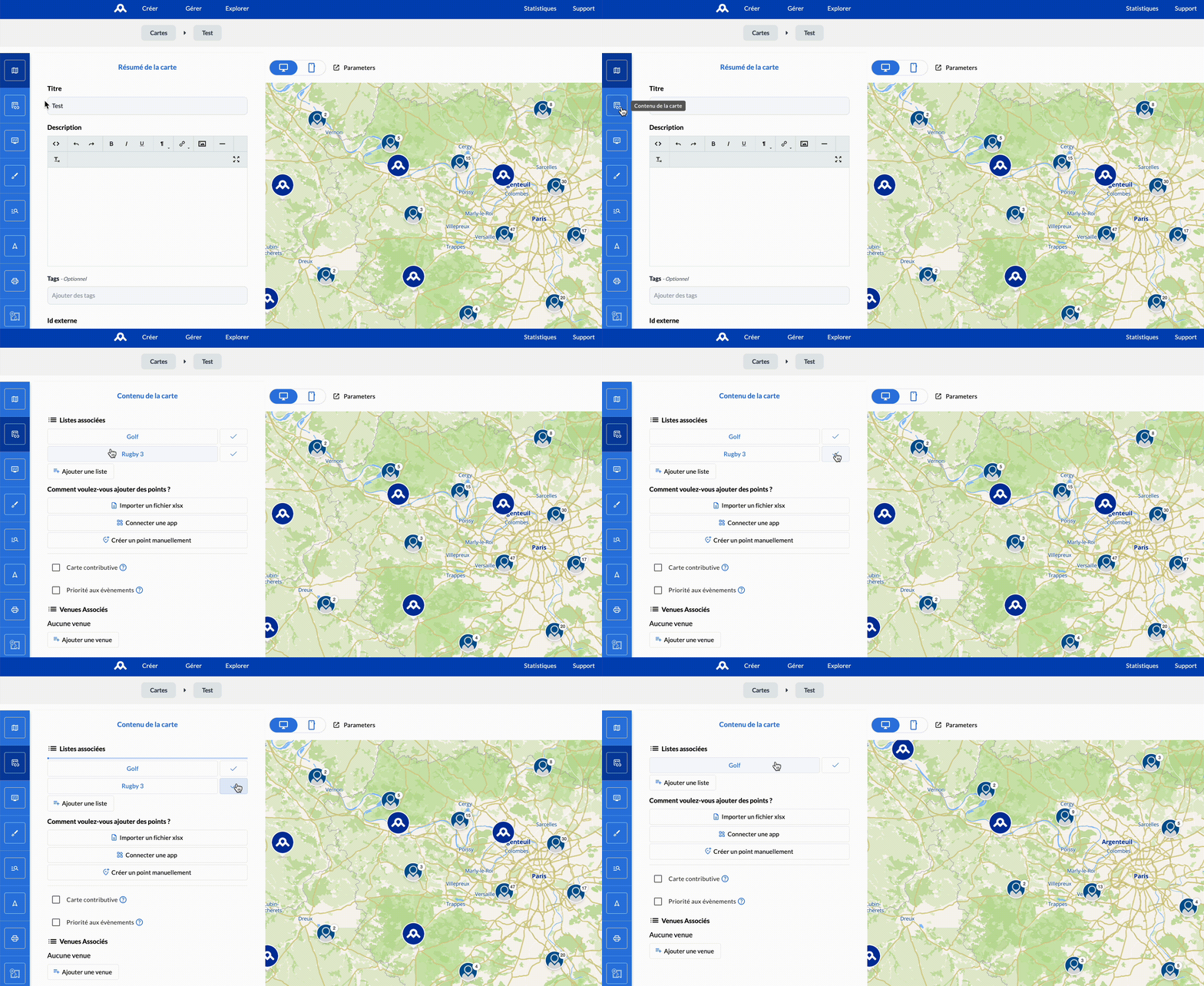
Remove / unlink a list from my map
Removing / dissociating a list from your map allows you to no longer display the points associated with it on your map.
Unlike adding a list, removal can only be done from the concerned map.
📋 Remove the list from a map
- Access your map: "Manage" > "My maps"
- Click on the "Map content" menu
- Click on "✔️", for the list you want to remove, in "Associated lists"
The content associated with the list is removed instantly and the associated points no longer appear on the map.