
Draw my objects, rooms, walls, corridors, zones
After drawing buildings and adding levels, you have the option to draw / add objects to your venue.
We present here the method for manually drawing your objects.
📌 Please note:
You can also opt for one of the following methods:
✏️ Manually draw an object
- Access your venue: "Manage" > "My venues"
- Click on "View objects", in the top right: a toolbar appears on the map
- Click on the drawing icon, then select the type of shape to give the object: point, polygon, line

- Draw the footprint of the object on the map:
- Point:
-
Click once on the map to position the point
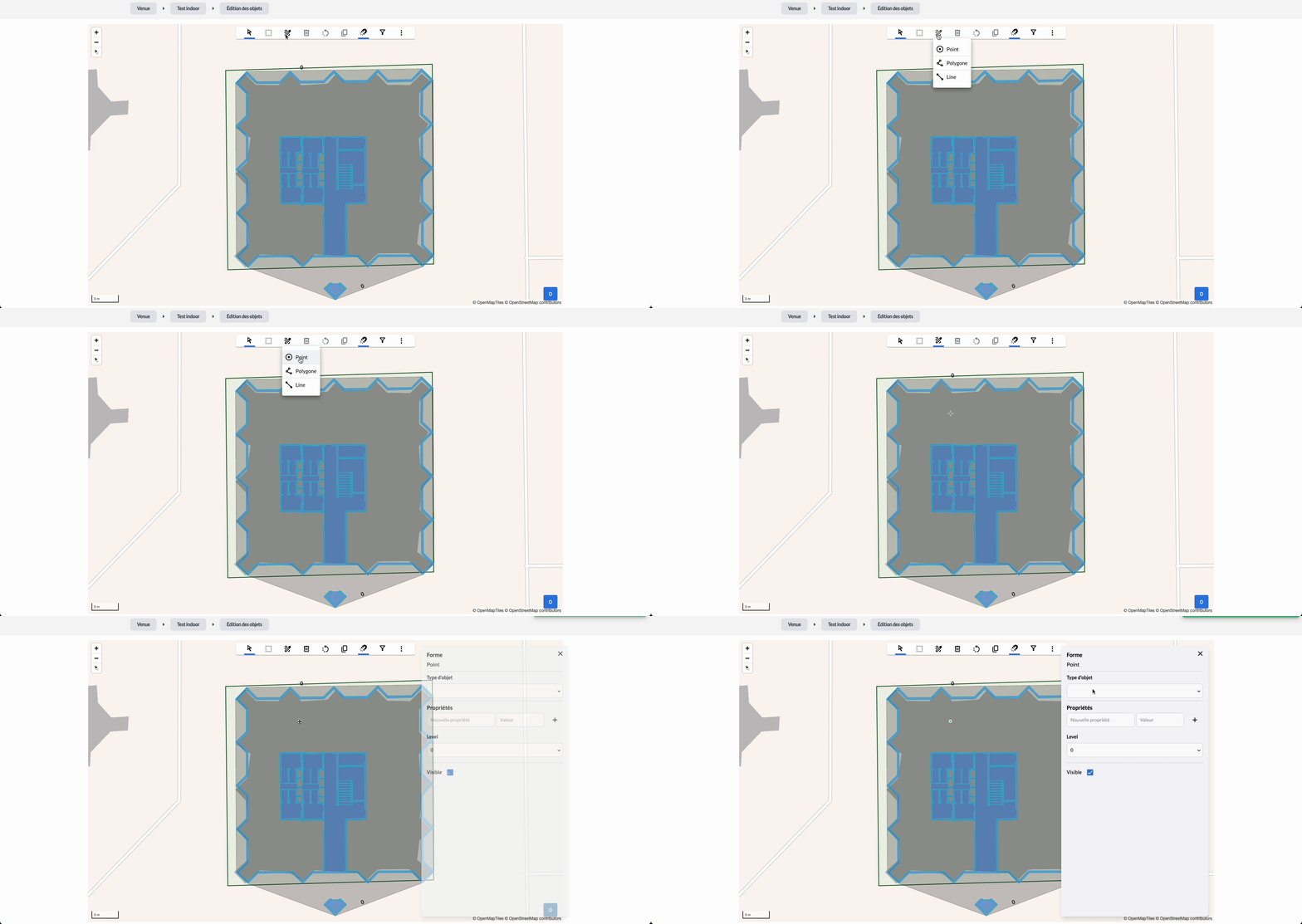
-
- Polygon:
- Click once on the map to position the first point
- Then place the different points to trace the shape of your object (minimum 3 points)
-
Finish with a double click to validate your polygon
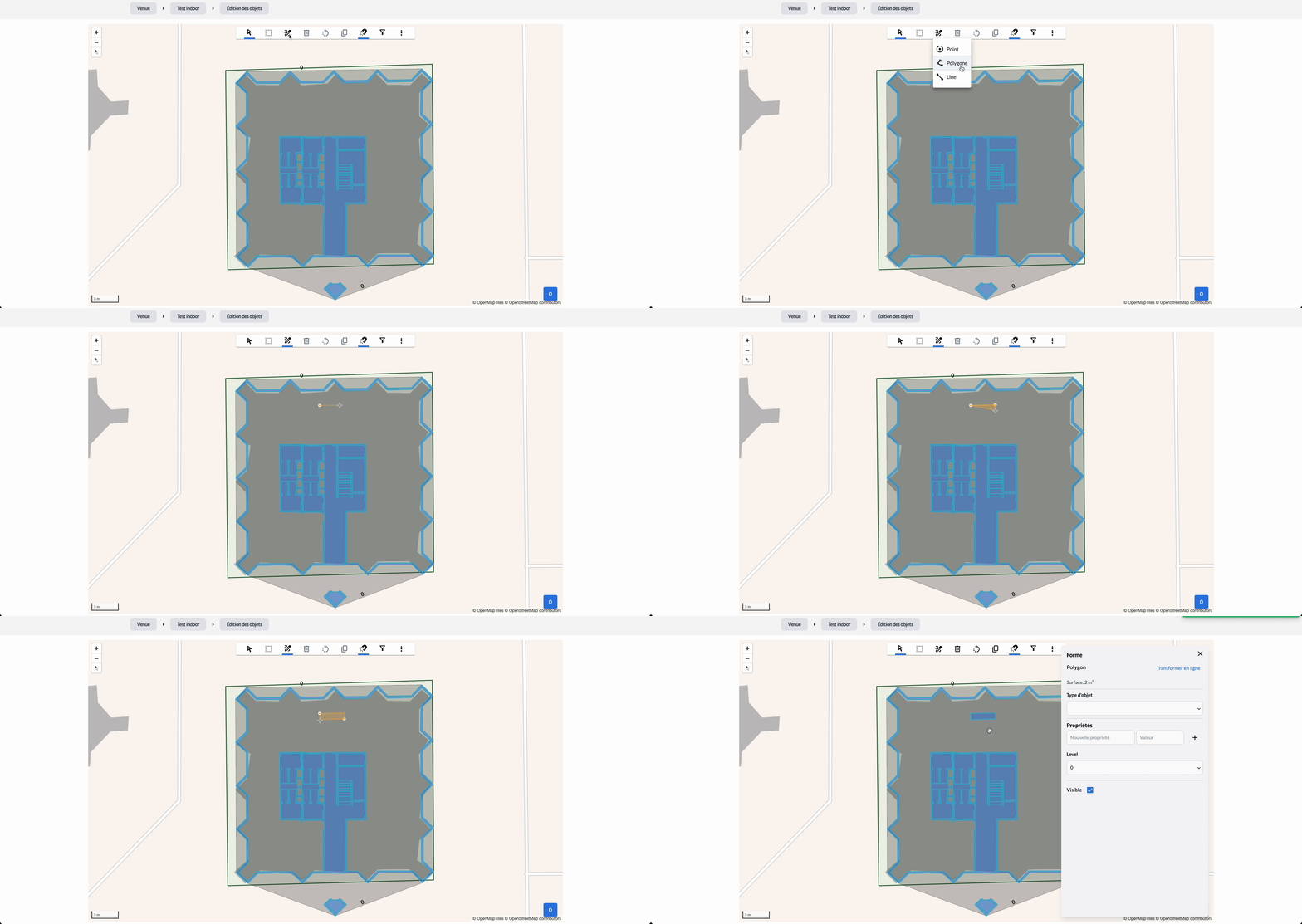
- Line:
-
Same as for a polygon, by placing a minimum of 2 points
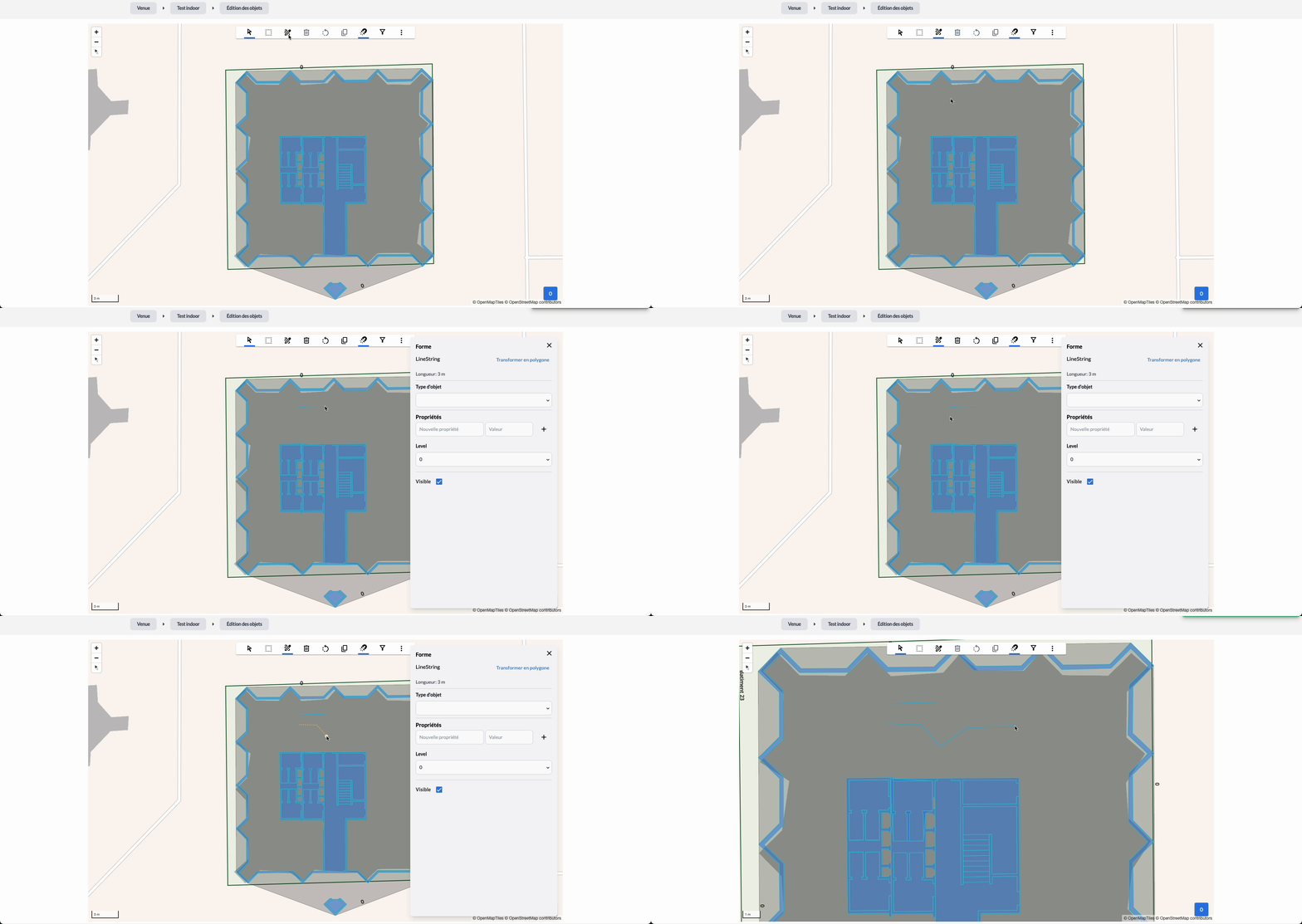
-
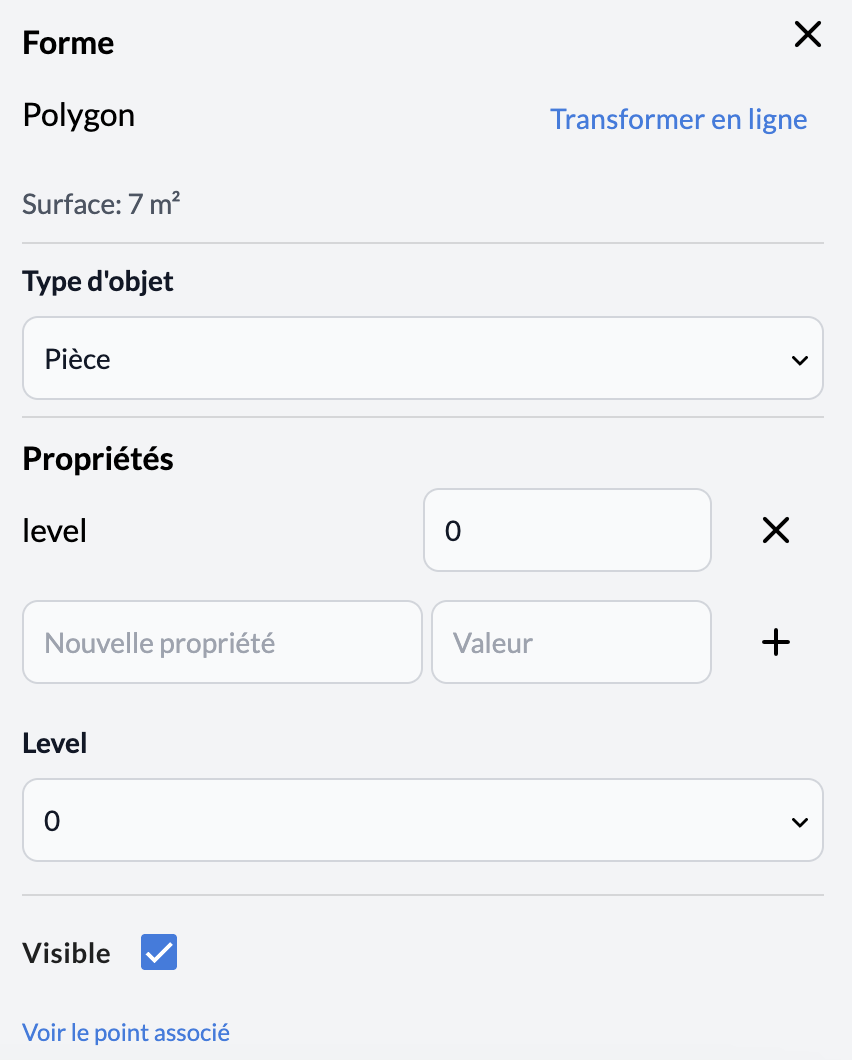
- Associate data / information with your object:
-
Object type: indicate which object type it corresponds to
E.g.: room, zone, stand, corridor, wall
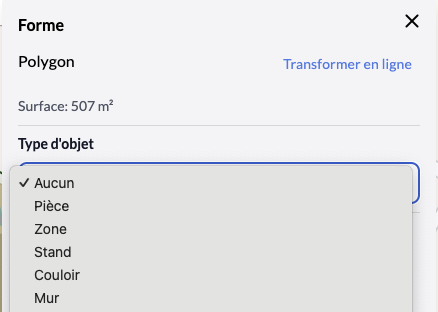
- Properties: fill in the properties of your object
-
Level: select the level on which you want the object to be visible.
E.g.: if it is placed in a building containing 3 levels and you want the POI to be visible on level 2, select level 2 from the dropdown list.
-
Visible: check the box so that the object is displayed on the map
(e.g.: if you use the same plan for different events, but an object is not used for one of them, you can uncheck this option to not see it appear on this level on the plan for that event)
📌 Please note:
- If the building to which the object belongs has a level, add a "Level" property and associate it with the level value.
- If the drawn footprint has a
"Room"object type associated with it, a black dot will appear at its center to allow a point of interest (POI) to be associated with it. If applicable, it will then take on the properties of the object. - If a POI is placed outside a drawn zone, it is considered "outdoor"